 RGB Engine
Get notified
RGB Engine
Get notified
RGB lighting that won't slow your PC down
Over 100 animated looks for your fans, RAM and LED strips. They react to your music, or you can build your own. While your lights run, it uses about 48 MB of RAM.
A browser port of the app's scene code, running live.
Over 100 looks, any color on any scene
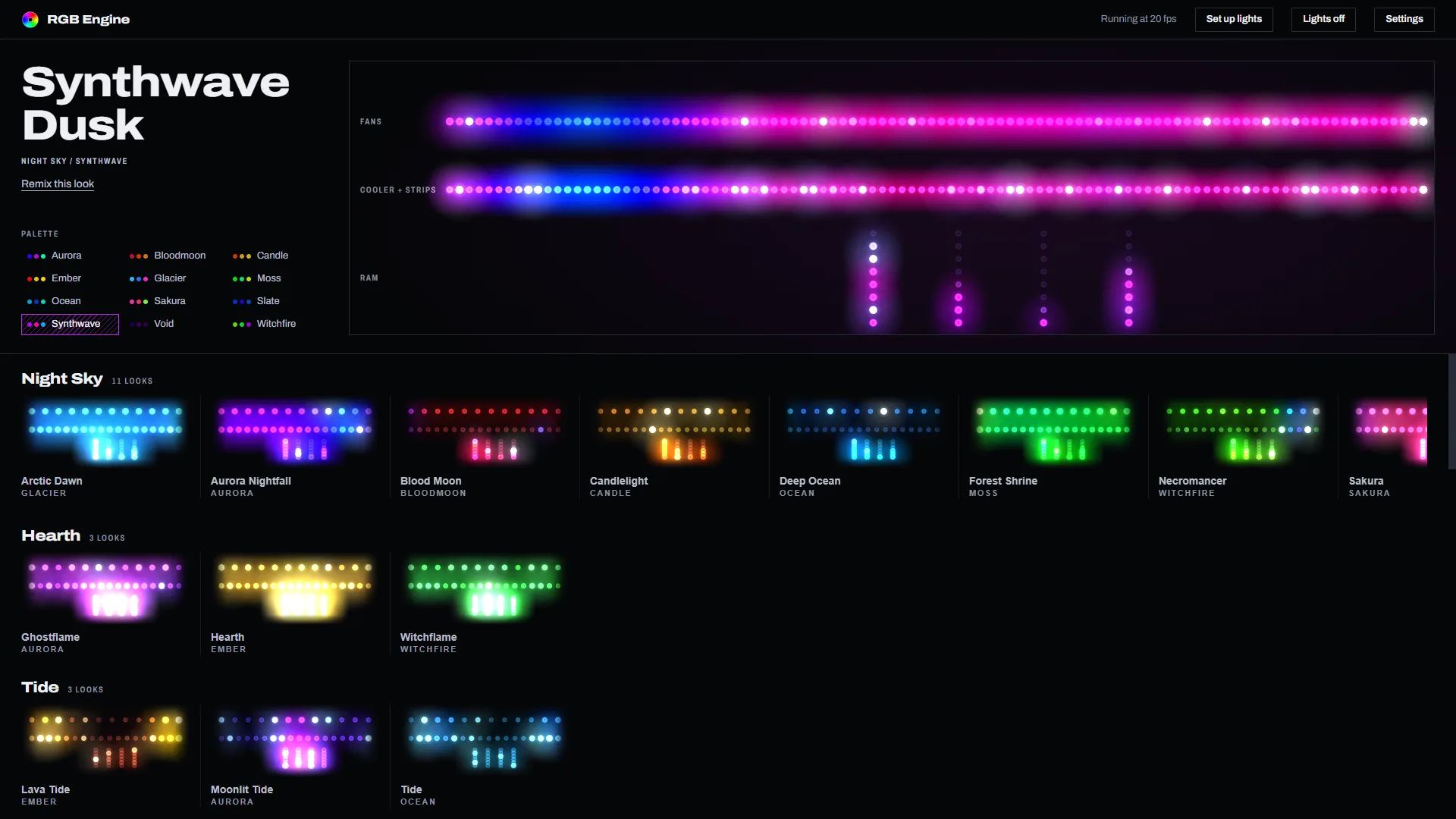
A scene is how the light moves, a palette is the color it wears, and you can put any of the 12 palettes on any scene. Every pairing below is running live, the same code the app runs.
Much lighter than typical RGB apps
Both apps were measured on the same gaming PC. Each disc is drawn to the memory that app used. RGB Engine's number includes OpenRGB, the driver it runs on.
SignalRGB
- Processes
- 13
- RAM
- ~1.5 GB
RGB Engine
- Processes
- 2
- RAM
- ~48 MB
- CPU
- <1%
Bass, mids and highs each get a job
Kicks punch the fans. The body of the track moves the cooler and strips. Hi-hats sparkle the RAM, and each stick runs its own slice of the spectrum.
Setup asks what you have, then finds it
-
List your parts
Fans, cooler, RAM, strips. You say what's in the case, not which header it's on.
-
Watch each one light
It lights every part by name so you can confirm it found the right one.
-
Leave it alone
The map gets saved. Every scene knows where everything sits from then on.
Can't find the look you want? Build your own
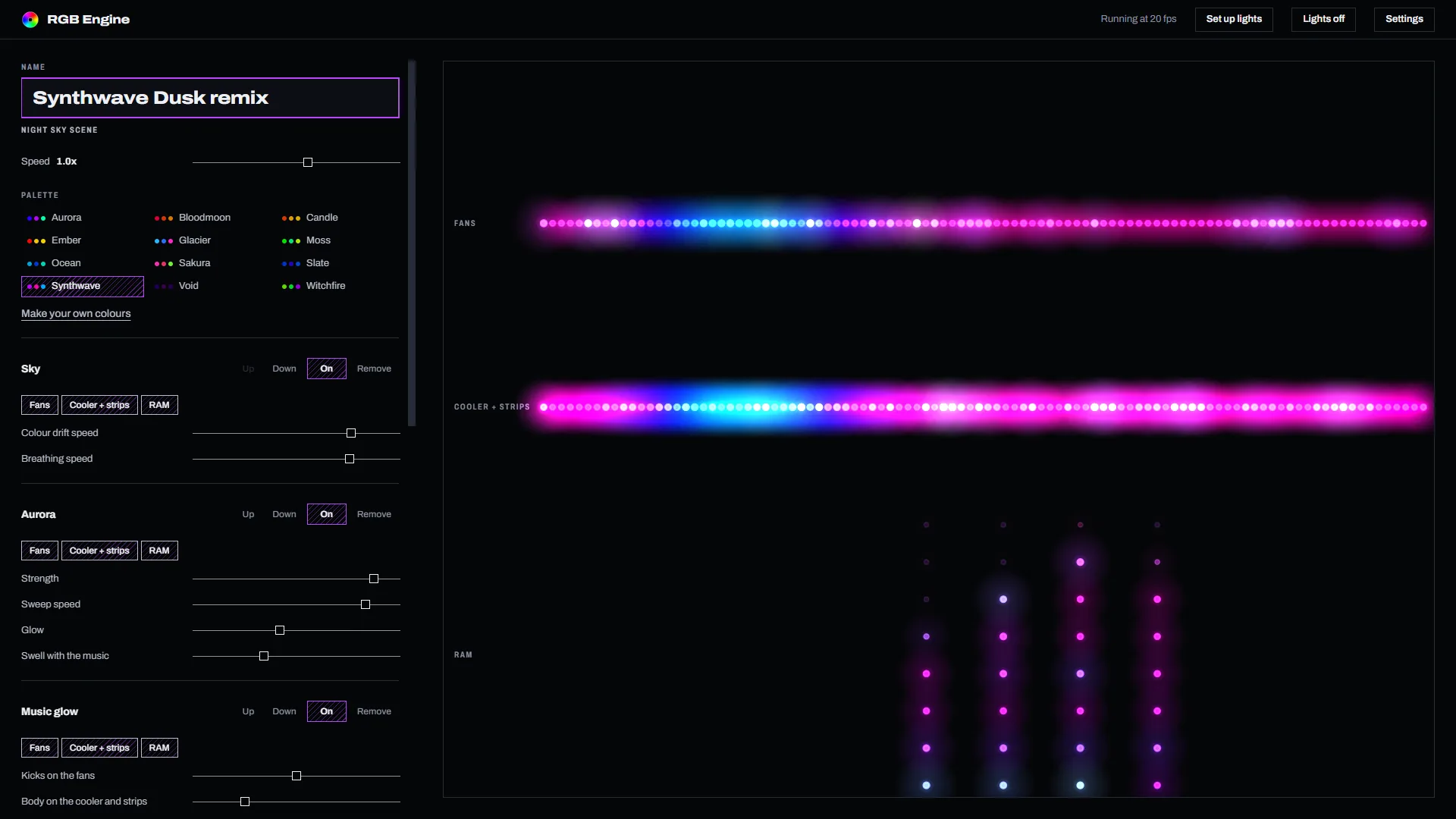
Remix any look or start from scratch. Stack effects like aurora, fire and lightning, pick your colors, set the speed and choose which parts of your PC each one lights up. Export a scene to share it with a friend.
Works with the RGB you already have
Motherboard RGB headers, RGB RAM, LED strips, coolers and lots more. RGB Engine runs on OpenRGB, which comes included, so one app covers your whole case instead of one app per brand. See the full list of supported hardware.
It leaves your mic, keyboard and mouse alone unless you switch them on, and it starts with Windows and stays out of your games.
Questions
Will RGB Engine slow down my PC or games?
No. While your lights run, RGB Engine uses about 48 MB of RAM and well under 1% of your CPU, measured on a 16-thread gaming PC. The window only uses more while it's open, and you can close it and keep the lights running.
How much does RGB Engine cost?
RGB Engine will be $4.99 on Steam. Join the waitlist and we'll email you the day it comes out.
What hardware does it work with?
Most motherboard RGB headers, RGB RAM, LED strips, coolers and lots of other gear. RGB Engine talks to your hardware through OpenRGB, which comes included, so anything on OpenRGB's supported device list works.
How is it different from SignalRGB, iCUE or Armoury Crate?
One app covers your whole case instead of one app per brand. And it's light: on the same PC, SignalRGB ran 13 processes and about 1.5 GB of RAM, while RGB Engine ran on about 48 MB.
Do the lights react to music?
Yes, to whatever's playing on your PC. Bass drives the fans, mids drive the cooler and strips, and highs sparkle the RAM.
Can I make my own lighting?
Yes. Remix any of the 106 looks or build your own in the scene editor: stack effects like aurora, fire and lightning, pick colors, set the speed and choose which parts of your PC each one lights. You can export scenes to share them.
Will it mess with my mouse, keyboard or mic lighting?
No. RGB Engine leaves mice, keyboards, headsets and mics alone unless you switch them on, so things like a mic's mute light keep working.
What do I need to run it?
Windows 10 or 11 (64-bit), 4 GB of RAM and RGB hardware that OpenRGB supports.
Coming soon to Steam
Leave your email and we'll let you know the day RGB Engine comes out.